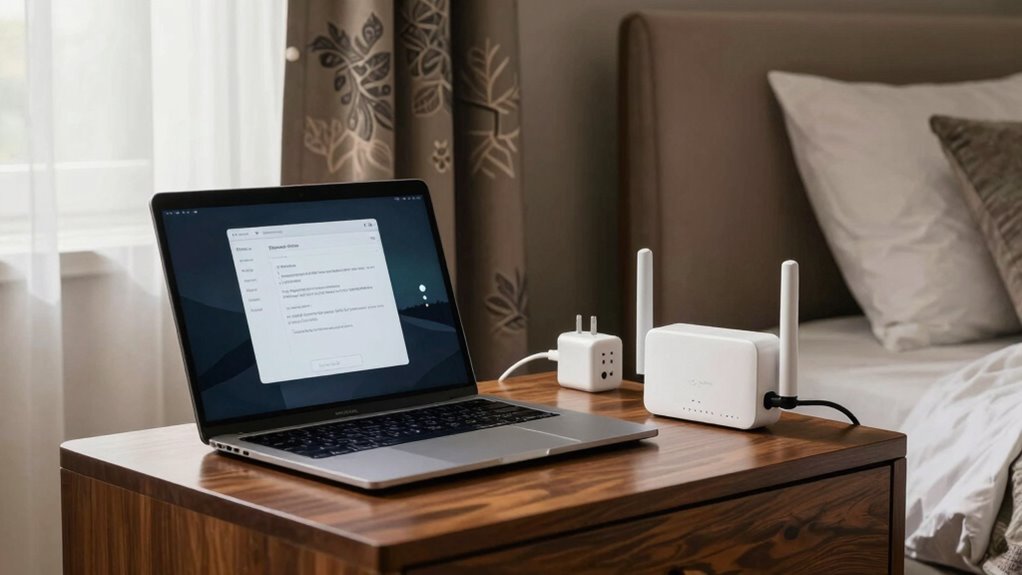

To improve your hotel Wi-Fi in Europe, stay close to the router or use a signal booster for better coverage, especially in larger rooms. Use a VPN to secure your connection on open networks, and always update your device’s software for security and performance. Consider creating a personal hotspot with your phone as a backup. Keep these tips in mind, and you’ll guarantee a faster, more reliable connection during your trip. More helpful strategies await you.

Get travel and outdoor gear delivered free — and shop member deals
- Fast, free delivery on millions of items
- Access to Prime Big Deal Days deals on October 6–7
- Prime Video, Amazon Music and more included
Key Takeaways
- Use a VPN to secure your connection on unsecured hotel Wi-Fi networks throughout Europe.
- Position your device closer to the router or use a signal booster for better connectivity.
- Create a personal hotspot on your smartphone as a stable, private internet option.
- Connect via Ethernet if available for a faster, more reliable internet connection.
- Keep device software and Wi-Fi drivers updated, and forget networks after use for enhanced security.

Traveling through Europe often means relying on hotel Wi-Fi for work, communication, and entertainment, but it can be unreliable or slow. To get the most out of your connection, you need to take a few proactive steps to improve your setup. First, be mindful of Wi-Fi security. Public hotel networks are often unsecured, making your data vulnerable to hackers. Always avoid accessing sensitive accounts or banking information unless you’re on a trusted connection. Use a virtual private network (VPN) to encrypt your internet traffic, which adds a layer of security and helps protect your personal information from potential cyber threats. Even if the hotel offers a password-protected Wi-Fi, it’s wise to take these extra precautions to keep your data safe.
Public hotel Wi-Fi is often insecure; always use a VPN to protect your data.
Next, consider the placement of your device when connecting to hotel Wi-Fi. Signal strength can vary considerably depending on where you are in the room. Usually, the Wi-Fi router is located in a common area or behind the scenes, so staying closer to the source can drastically improve your connection. If you’re far from the router, your signal might weaken, causing slow speeds or disconnects. To counter this, you can use signal boosters—compact, portable devices designed specifically to amplify Wi-Fi signals. These boosters are easy to set up and can greatly enhance your connection, especially in larger rooms or hotels with thick walls that block signals. Knowing how to optimize your network performance is essential for a seamless online experience.
Another effective tip is to use a wired Ethernet connection if available. Some hotels provide Ethernet ports in rooms, giving you a more dependable and faster connection than Wi-Fi. If you need a stable connection for work or streaming, plugging directly into the network can be a game-changer. If Ethernet isn’t an option, consider creating a personal Wi-Fi hotspot from your smartphone. Many smartphones allow you to share your cellular data with other devices, providing a more secure and stable connection than hotel Wi-Fi. Just be mindful of your data plan to avoid extra charges.
Finally, don’t forget to update your device’s network settings and software. Keeping your operating system and Wi-Fi drivers current helps ensure compatibility and security. When connecting to hotel Wi-Fi, always select “Forget Network” after your stay, so your device doesn’t automatically connect to potentially insecure networks in the future. Being aware of Wi-Fi security best practices can significantly reduce your risk of cyber threats. Additionally, understanding network security protocols can help you better protect your data while traveling. By taking these steps—enhancing Wi-Fi security, using signal boosters, and optimizing your connection—you’ll enjoy faster, safer, and more reliable internet access during your European travels.
As an affiliate, we earn on qualifying purchases.
Frequently Asked Questions
Can I Use My Phone as a Wi-Fi Hotspot in Hotels?
Yes, you can use your phone as a Wi-Fi hotspot in hotels. Just make certain your device is compatible with hotspot functionality and that your carrier allows data sharing. Check your plan for data roaming charges, as using your phone as a hotspot abroad can lead to high fees. Enable the hotspot feature, connect your other devices, and enjoy a more reliable internet connection during your travels.
What Security Measures Should I Take on Public Hotel Wi-Fi?
When using a public network, you should prioritize security by enabling data encryption on your device and avoiding sensitive activities like banking. Use a virtual private network (VPN) to protect your data and *make certain* your connection is secure. Also, turn off sharing settings, disable Wi-Fi auto-connect, and avoid accessing personal accounts without a VPN. These steps help safeguard your information on public hotel Wi-Fi.
How Do I Find the Best Wi-Fi Signal in My Hotel Room?
Imagine your hotel room as a battlefield for the best Wi-Fi signal. Move around, testing different spots to find where the signal is strongest, usually near windows or away from thick walls. Use your device’s Wi-Fi troubleshooting feature to identify weak signals. Keep your device elevated and avoid cluttered areas. Once you find that spot, connect and enjoy a smoother, more reliable hotel room signal.
Are There Legal Restrictions on Using VPNS in Europe?
VPN regulations vary across European countries, but generally, using a VPN is legal in most of Europe. European internet laws prioritize user privacy, making VPNs a popular tool for secure browsing. However, some countries like Belarus or Russia have stricter restrictions, and using a VPN for illegal activities remains prohibited. Always check local laws before using a VPN to confirm you’re compliant and avoid potential legal issues.
How Can I Improve Wi-Fi Speed on Multiple Devices?
To improve Wi-Fi speed on multiple devices, guarantee your devices are compatible with the hotel’s network, and update their network settings if needed. Use signal boosters or portable Wi-Fi extenders to strengthen the connection throughout your room. Limit simultaneous streaming or downloads, and prioritize essential devices. These steps help maximize your Wi-Fi performance, making your browsing smoother and faster across all your devices during your trip.
As an affiliate, we earn on qualifying purchases.
Conclusion
While hotel Wi-Fi might seem like a minor detail, it can make or break your travel experience. Imagine the disappointment of missing out on a sunset photo or essential work deadlines because of slow internet. By taking simple steps to optimize your connection, you turn potential frustration into seamless browsing. Ultimately, a reliable Wi-Fi isn’t just about convenience; it’s your gateway to capturing memories, staying connected, and enjoying Europe to its fullest.
smartphone personal hotspot device
As an affiliate, we earn on qualifying purchases.
As an affiliate, we earn on qualifying purchases.
Ethernet adapter for hotel rooms
As an affiliate, we earn on qualifying purchases.
As an affiliate, we earn on qualifying purchases.
Fall Picks
fall essentials
As an affiliate, we earn on qualifying purchases.